

How does KORENANI handle photos for recognition?
KORENANI photo recognition is not completed only on the device. When you ask the app to recognize a photo, the image is sent to KORENANI's API server, processed by a recognition service, and returned as a name plus a short explanation.
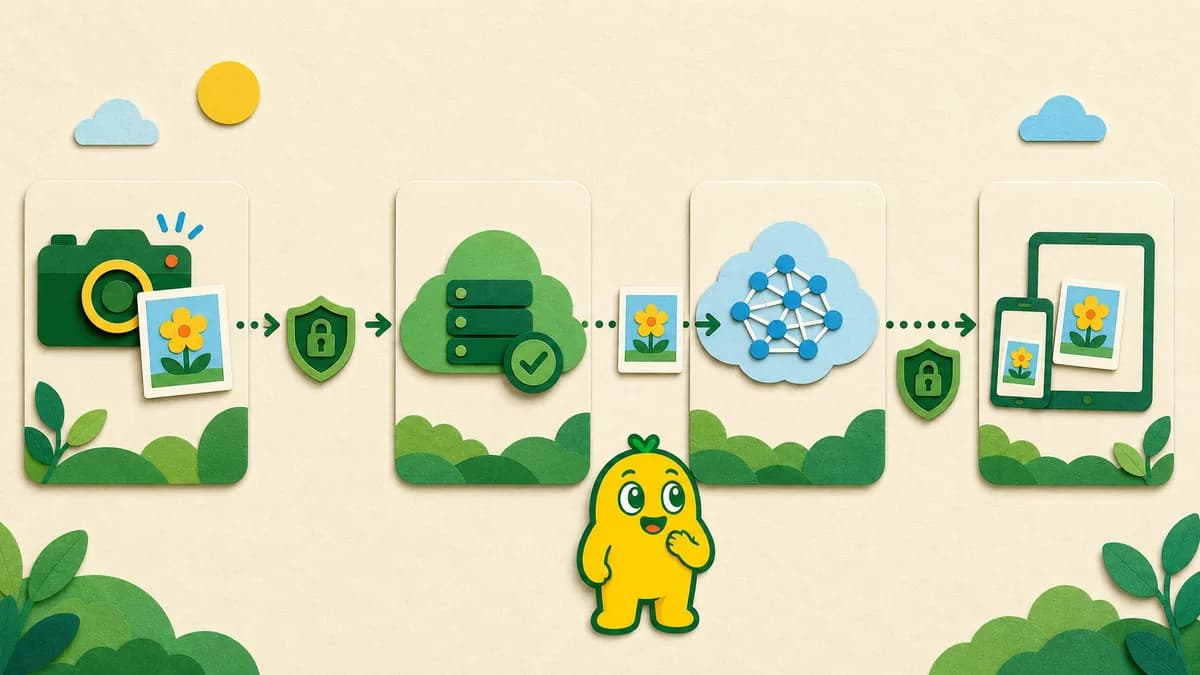
Where your photos go
When you take a picture inside KORENANI and ask the app to recognize it, the image is sent from your device to KORENANI's API server. The server passes the image to a recognition service, which returns the name of what's in the photo, plus a short description.
The full image data needed by the selected recognition flow is sent for processing. Families should therefore choose subjects they are comfortable sending to KORENANI and the external recognition service involved in that mode.
| Area | How KORENANI handles it | Parent note |
|---|---|---|
| Photos | Sent to the API server for recognition | Avoid photos that clearly show sensitive personal or household information |
| Recognition results | Stored as labels, short descriptions, and related audio | Used later for collections and quizzes |
| Advertising and usage data | No in-app advertising; the privacy policy separately describes service usage and performance data | Ad-free does not mean that no operational logs or website measurement exist |
| Parental gate | Included for purchases and some parent-facing actions | It does not cover every action in the product |
Services involved
KORENANI runs three recognition flows for general objects, insects, and plants. Depending on the selected mode, the API sends the image to the corresponding external recognition service.
We don't fix specific provider names or model versions in this article, because those choices can evolve over time. The current details, including the third parties involved, are written up in our privacy policy.
What we store
For each account, we keep the records we need to give you a continuous learning experience and to let you go back and revisit the things you've spotted. The main categories are:
- Account information and child profiles
- Recognition results — labels, short descriptions, and the matching audio files
- The photos you've saved (kept as references in our storage)
- Your plan and billing events
- Quiz and progress data tied to learning activities
Things to keep in mind at home
Because recognition runs through servers rather than entirely on the device, what you point the camera at is a parental decision. Avoid photos that capture sensitive personal information about your child or family, and choose subjects you are comfortable sending for recognition.
A current policy question about model improvement
The current privacy policy says uploaded images may be used for recognition-model improvement and describes anonymization and an opt-out setting. The repository audit did not find a corresponding consent or opt-out flow for that purpose. Until the policy, vendor practice, and implementation are reconciled, this guide does not claim either that photos are used for training or that they are never used for training.
For the legal details
This guide is a plain-English overview. For the binding language about how photo data is handled, please read the privacy policy.
For device permissions, individual item deletion, and account deletion, continue with Camera, Photo Permissions, and Deletion Controls.